Accessing an Existing Project
Step 1
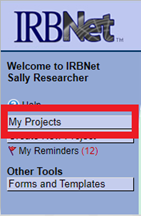
Log in to www.irbnet.org. Select My Project on the navigational panel on the left side of the screen.
Step 2
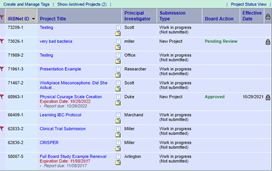
This brings you to a list of all the projects you have access to. Next, locate your
project and select the title to open.
Tip: Everything in blue is clickable.