Attaching Documents in IRBNet
Step 1
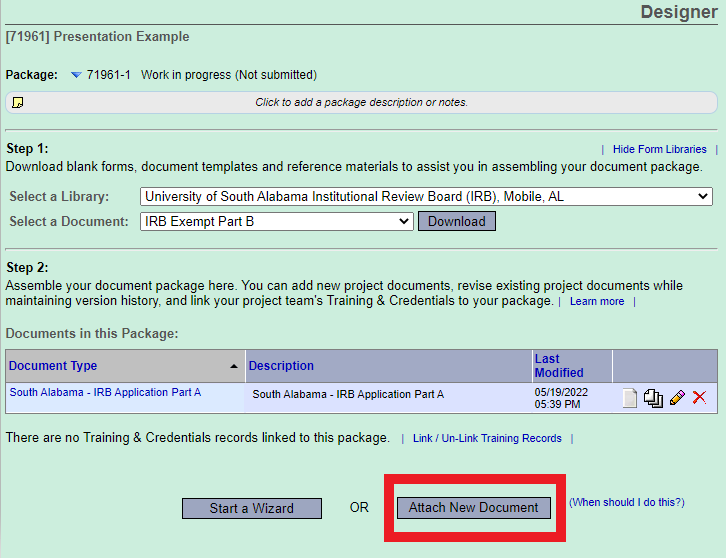
In the Designer page, you will select Attach New Document; this will automatically open your File Explorer (or Finder Apple products). Locate your saved document and double-click to attach.
Step 2
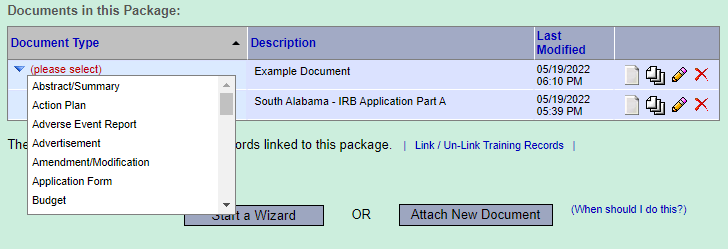
Select the appropriate Document type within the drop-down menu.
Repeat Steps 1 and 2 for all required materials.
Alternative
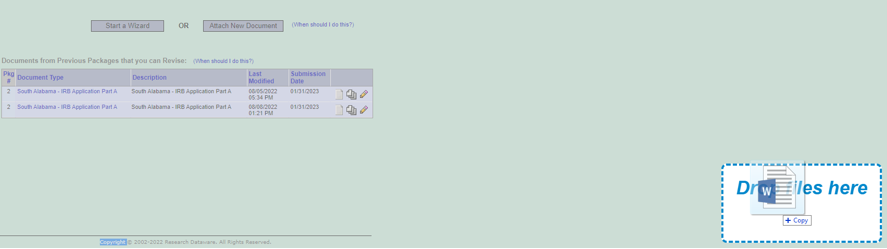
Alternatively, you can also drag your completed document from your File Explorer (or Finder for Apple products) onto the Designer page. A “drop file here” box will display in the bottom right corner as seen here: