
Creating a New Project
Step 1
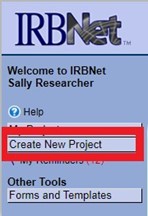
Log in to www.irbnet.org. Select Create New Project on the navigational panel on the left side of the screen.
Step 2
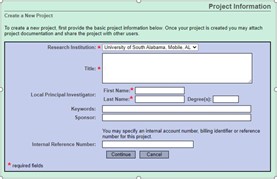
Within the Project Information screen, enter the project title and Principal Investigator (PI) first and last name. Select Continue.
Step 3
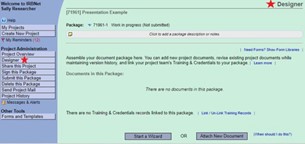
Once Continue is selected, you are brought to the Designer page. Your new project has been created. The Designer page is where IACUC/IBC Application Form or IRB Application Part A is created.
Step 4
As seen below, each project is automatically given a unique number, or IRBNet ID. This ID displays as XXXXXXX-1 within your initial submission. Each package created thereafter will display as -2, -3, etc.
