
You have returned to the top of the page and may restart browsing.
Skip Main Navigation
You have skipped the global top navigation and may now begin browsing the page.

How to Link Training in IRBNet
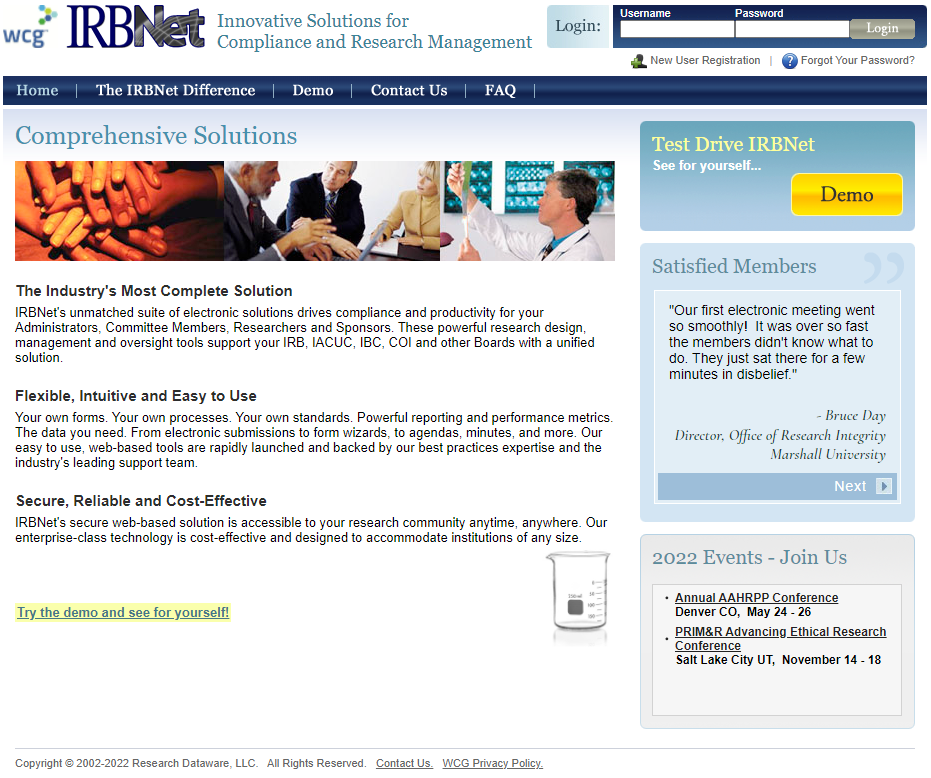
Step 1

Log in to www.irbnet.org. Select User Profile in the upper right corner.

Step 1 Screenshot

Step 2

Scroll to the bottom and select Add a New Training & Credentials Board
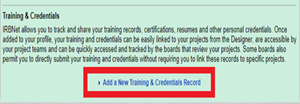
Step 2 Screenshot


Step 3

Attach the completed training certificate. Repeat steps 2 and 3 for additional certificates, if needed.
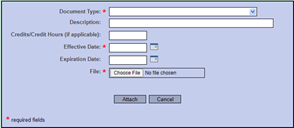
Step 3 Screenshot

Step 4

Remember to select Submit and choose the applicable committee (IACUC, IBC or IRB).
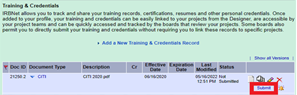
Step 4 Screenshot