Managing Reminder Emails and Alerts from IRBNet
Step 1
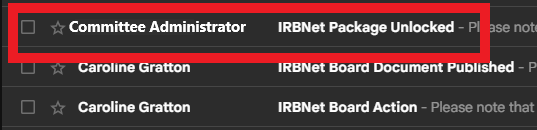
When you receive an email alert from your committee administrator, this signals some type of action has been taken in IRBNet.
Note: Some of these alerts may require PI/researcher action such as the example above displaying a package has been unlocked.
Step 2
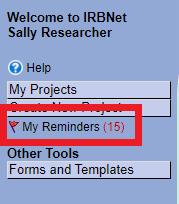
Each time you receive an email alert, a notification (or “flag”) will appear in IRBNet. To access your reminders in IRBNet, select My Reminders on the left navigational panel.
Step 3
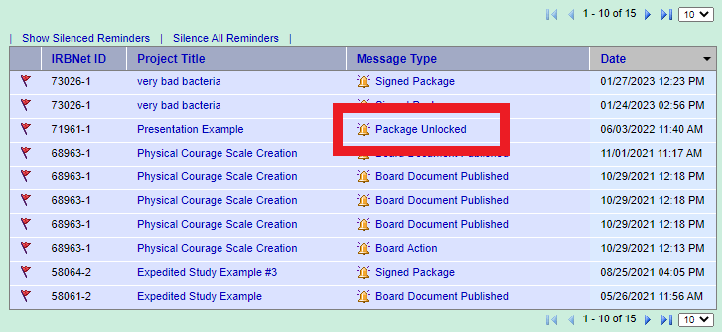
This brings you to the My Reminders screen where you can view a list of your alerts. To view a specific alert, select the alert title under the Message Type column.
Step 4
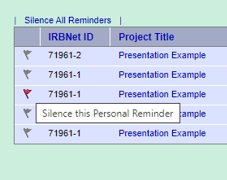
When you’ve completed your requested action, you may silence the alert by clicking the red flag in IRBNet.