
Starting a Wizard
Step 1
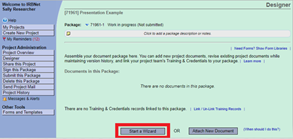
With your project open in IRBNet, navigate to the Designer page. At the bottom of this page, you will see the Start a Wizard button.
Step 2
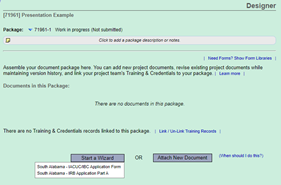
After clicking the Start a Wizard button, two options appear: IACUC/IBC Application Form and IRB Application Part A. Select the appropriate smart form.
Step 3
Once you’ve selected the applicable form, you will be asked a series of questions. Please complete as it pertains to your project.
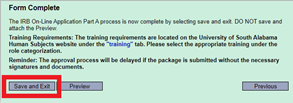
Note: Once your smart form is complete, please be sure to select Save and Exit as seen below.
Need additional help?
Please contact your committee administrator:
IACUC & IBC @
daniellemiller@southalabama.edu
IRB @ irb@southalabama.edu