
Submitting a Project in IRBNet
Step 1
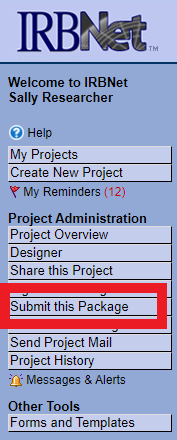
To submit your project, select Submit this Package on the left-side navigational panel.
Step 2
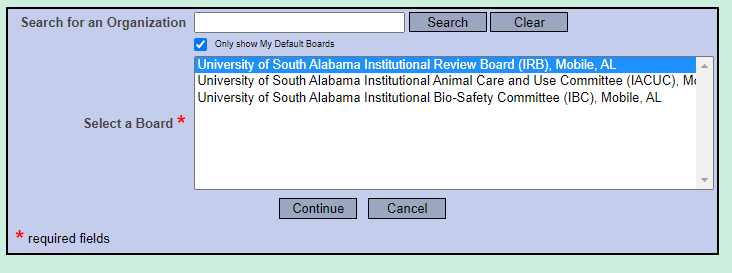
Select the appropriate committee/board and click Continue.
Step 3
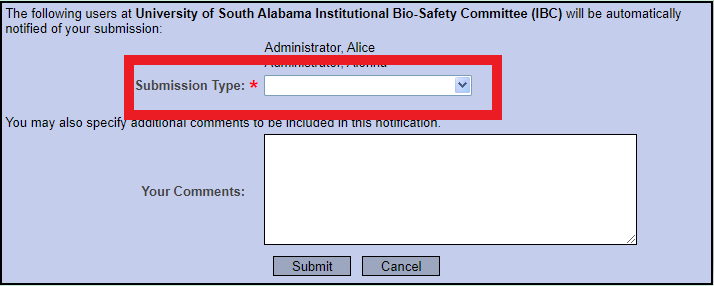
Select the appropriate Submission type for your document and click Submit.
Note: Until your project officially submitted, your committee administrator cannot view your submission.
The submission of your project is now complete!
Need additional help?
Please contact your committee administrator:
IACUC & IBC @ daniellemiller@southalabama.edu
IRB @ irb@southalabama.edu